
What happens after you order.
Six steps from order to first client.
- Step 1
Choose a plan and pay
Pick the plan that fits your device count and decide whether you want the client app. You pay the first month by card through PayFast, and the order form asks which modules to turn on.
- Step 2
We build your server
We set up a server just for your brand, with its own database and tracker ports. This normally takes under a day, and the login details come to you by email.
- Step 3
We add your brand
Email us your logo and brand colours. We add them to the login page, the portal's light and dark modes, the client app and the emails your clients receive.
- Step 4
You connect your address
We send you one DNS record to add for your chosen address, such as track.yourbrand.com. We set up its SSL certificate and keep it renewed at no charge.
- Step 5
Your first tracker goes live
Set up a unit with your server's address and port, which you'll find in the portal for each supported model. Then watch it appear on the map.
- Step 6
Your first client logs in
Create an account for the client, add their vehicles and alerts, and send them the links to the portal and the app.
What we handle
Hosting, backups, security certificates and updates are on us for as long as your plan runs. When we add a feature to the platform, your server gets it in the next update.
What you handle
Your clients, hardware and prices are up to you. You decide who gets an account, what each client pays and which services to sell.
Before you sell
Test the service on your own vehicle first.
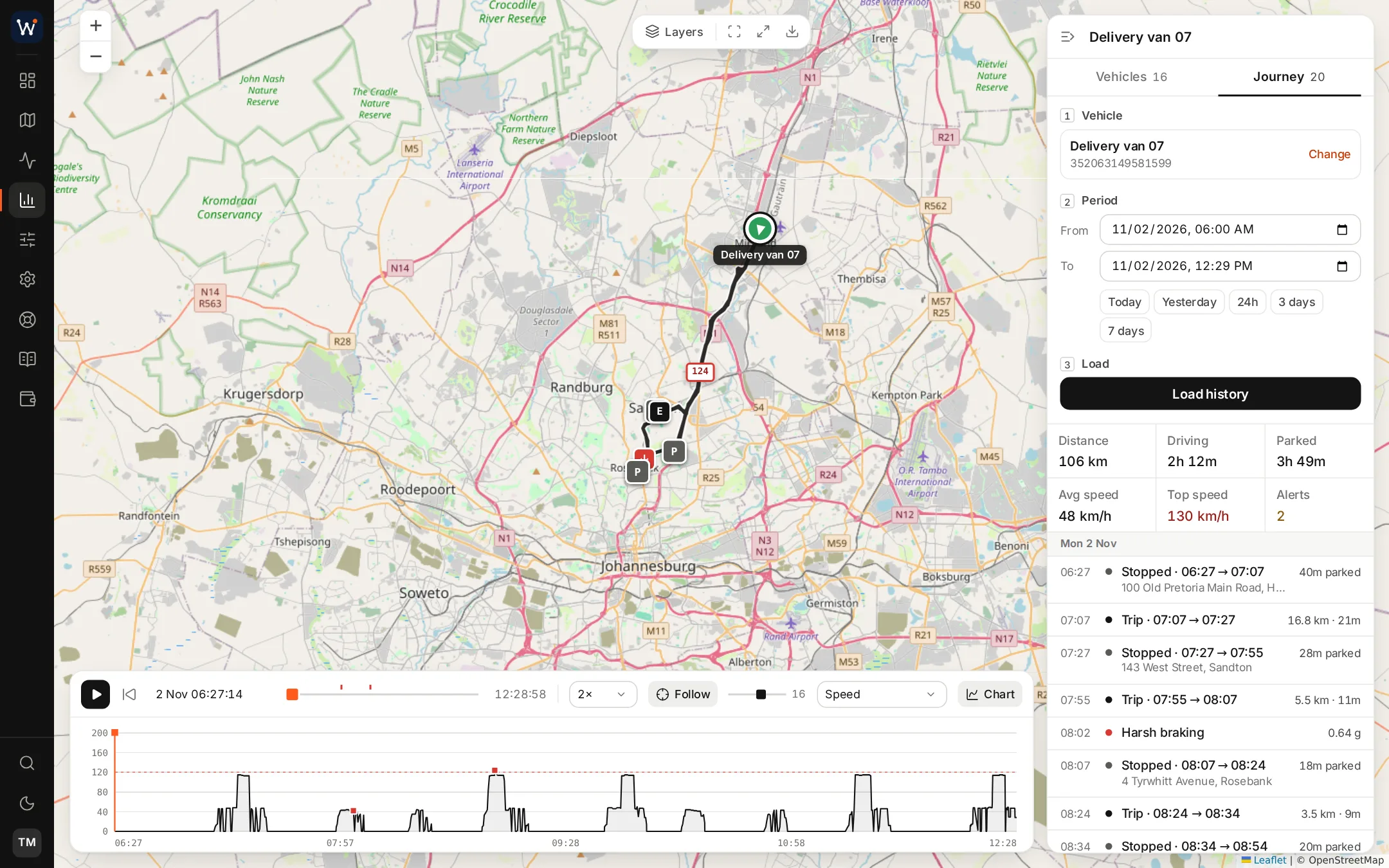
Fit a tracker to a vehicle you drive and leave it for a few days. Replay your trips, draw a zone around your home and trigger an alert. You'll learn the screens your clients use, and you'll have real examples to show in sales meetings.
- Your trips and stops replayed above a speed graph
- Zone alerts tested on a route you know
- Drives of your own to show prospects
Launch questions
What do you need from me after I order?
Your logo, your trading name and your choice of web address, for example track.yourbrand.com. We'll tell you which DNS record to add so the address points to your server.
Who sets up the trackers?
You or your installer. Your portal shows the server address, port and settings for each supported model, so you can set a unit up by following the maker's own instructions.
Can I try the service on my car first?
Yes, and we'd recommend it. Put a tracker in the car you drive most, watch the trips and alerts for a few days, and you'll be able to answer client questions from experience.
Read next
Start your tracking business this month.
Order online today. We usually have your server running within a day, so your first tracker could be on the map this week.